Your child watches only the channels you chose. Nothing else.
Pepelly is a video player for children from 3 to 12. You pick the YouTube channels. Your child sees those, newest first, and nothing in between: no Shorts, no autoplay, no recommendations.
Coming soon to iPhone, iPad and Android.
You know the feeling
You said yes to one video. Then this happens.
The third video
The first video was the one you picked. The second was close enough. The third is never one you would have chosen, and you only notice when you hear it from the kitchen.
Shorts
One swipe, then another. Forty clips in ten minutes, and not one of them has an end your child can stop at.
The fight when it ends
The video ends, the next one is already counting down, and now the tablet has to be taken away in the middle of something. Every evening.
“10 hours of …”
The channel you trust also uploads compilations: the same episodes cut together, hours long. Your child finds them first.
YouTube Kids helps, but it still has an algorithm that decides what comes next. Pepelly turns that around: nothing reaches your child that you did not choose.
Who it is for
Pepelly is for children from 3 to 12. You choose an age band for each child, and the starting channels, the length limit and the filters follow it.
 3 to 5
For the four-year-old who should see calm shows and nothing else.
Big tiles with the length on each one, short videos only, and at the end a screen that says “watch again” or “back”, never “up next”.
 6 to 8
For the eight-year-old who loves science and crafts and would also, given the chance, watch unboxing videos until dinner.
Start from a pack of channels for the age, add the ones you know, leave the rest out. Compilations stay hidden.
 9 to 12
For the eleven-year-old who is ready for YouTube, if YouTube were ready for them.
Longer videos, more channels, and a way to ask for a new one. You get a notification and decide with one tap.
How it works
Three steps, about three minutes.
Pick the channels
Search for a channel, paste a link, start from a pack for your child's age, or import your own YouTube subscriptions.
- An example pairing code: K 7 P 4 Q X
Pair your child's device
Open Pepelly on your child's tablet or phone and enter the six-character code from your phone. That device now shows only that child's channels.
Your child watches
New videos from those channels, newest first. When a video ends, Pepelly's own screen appears: watch again, or back to my videos.
Made for the child
Kid mode is calm on purpose. Everything a child can do has a picture, and nothing plays by itself.
An end, not a next video
When a video is over, there are two big buttons: watch again, or back to my videos. No countdown, no suggestions.
Big tiles, the length on every one
Your child sees how long a video is before it starts. While it plays, the bar says “4 min left”, not 3:42 / 8:12.
Time's up, kindly
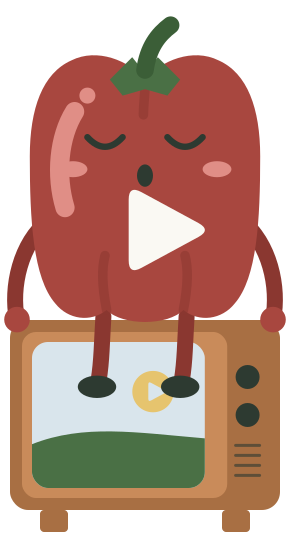
When the daily limit or bedtime is reached, Pepelly nods off on the television and playback stops. Nothing else opens. From your phone you can add 15 more minutes.
Ask for a channel
If a channel is missing, your child can ask for it. You get a notification on your phone and say yes or no with one tap. Nothing is added until you agree.
Only a grown-up gets out
Kid mode has no links out, no sign-out button and no settings. A parent PIN is the only way out.
Privacy, honestly
- No account for the child. No email, no location, no advertising ID.
- For each child we store a name, an avatar and an age band, the channels you approved and the watch time for limits and reports.
- No analytics and no ads SDK in kid mode.
- You can export or delete everything in the app, any time.
- This website sets no cookies.
Videos play in the official YouTube player. Pepelly does not remove YouTube ads, and Google can receive data such as the device's IP address when a video plays.
From the guides
Longer, plain answers for the questions parents ask us most.
- How to block YouTube Shorts for kids on every device
Block or limit YouTube Shorts for your child on iPad, iPhone, Android, TV and computer, what the Shorts feed limit does, and what it does not catch.
- Low-stimulation shows for toddlers and preschoolers
Calm, low-stimulation shows for preschoolers and older toddlers on YouTube, rated by pace, with official channels for ages 3 to 8.
- The complete guide to YouTube parental controls (2026)
How to set YouTube parental controls on phone, tablet, TV and computer, what supervised accounts and YouTube Kids do, and the five gaps they leave.
What it costs
Pepelly is free for one child with up to ten channels and a daily limit. For many families that is all they need.
Pepelly Family is for more: more children, more channels, bedtime, rules for single videos and a weekly report for each child. It costs 29 EUR a year with a 7-day free trial, 3.99 EUR a month, or 69 EUR once for Family forever.
Prices are shown in the app in your store's currency. You buy in the app, through the App Store or Google Play.
Free
- One child
- Up to ten channels
- Daily limit
Family
- More children
- More channels
- Bedtime
- Allow or block single videos
- Weekly report for each child
Questions parents ask
Is this YouTube Kids?
No. Pepelly is a separate app by an independent maker. YouTube Kids still uses an algorithm to choose what comes next. Pepelly shows only the channels you approved, newest first, and nothing else.
Does Pepelly block ads?
No. Videos play in the official YouTube player. Pepelly does not remove, block or change YouTube ads. What Pepelly leaves out are Shorts, autoplay, recommendations and comments.
Does my child need an account?
No. You sign in as the parent with Google or Apple. Your child gets a profile with a name, an avatar and an age band, and no email address or password.
Which devices does it work on?
iPhone, iPad and Android phones and tablets. Kid mode runs on your child's device; you manage everything from your phone or in the web dashboard.
Can my child still open the YouTube app?
Pepelly controls what happens inside Pepelly. To keep your child out of the YouTube app and the browser, lock them with Screen Time on iPhone and iPad or Family Link on Android. The app walks you through it, step by step.
What happens when the daily limit is reached?
Playback stops and a friendly screen appears with Pepelly nodding off. Nothing else opens. From your phone you can add 15 more minutes.
Can my child ask for a channel?
Yes. Your child taps “ask for a channel”, you get a notification on your phone and allow or decline it with one tap. Nothing is added until you say yes.
Where is the data stored, and can I delete it?
On our servers, encrypted in transit. We keep only what the app needs. You can export or delete all of it in the app at any time, and deletion is complete within 24 hours. The privacy policy lists every service we use.
Is Pepelly affiliated with YouTube?
No. Pepelly is not affiliated with, endorsed or sponsored by YouTube or Google. YouTube is a trademark of Google LLC. Pepelly uses the YouTube API Services to list channels and plays videos in the official YouTube player.
Say hello to Pepelly
Pick the channels tonight. Tomorrow your child watches those and nothing else.
Coming soon to iPhone, iPad and Android.